Sharing Your Garden Online Without Running a Social Media Account
The two options for showing people your garden have been posting to a general-purpose social network, where the audience is mostly not gardeners and the post is gone in a day, or keeping it entirely to yourself.
Garden.gg’s social layer aims at the gap. A public garden page is a durable thing that stays useful, not a post that expires.
What a public garden actually is
A shared plot gets a page at garden.gg/u/<username>/<plot>. It shows what is planted, what is happening, and the photos and journal entries you have chosen to publish. It is one link that stays current instead of a stream you have to keep feeding.
The word “chosen” carries weight. Sharing is granular. A plot is private until you share it. Journal entries are private until you publish them individually. Photos have their own visibility controls. Profiles are opt-in.
The default across all of it is private, which is the right default and also the reason the feature is not much use until you deliberately turn something on.
The Garden Bed
The Garden Bed is a guestbook. Visitors can leave a note on your public profile or on a public garden, and the notes stay there.
A guestbook rather than a comment feed is a deliberate choice. Comment sections optimise for volume and recency. A guestbook optimises for the note still being there in October, which suits gardening, where the interesting reply often arrives a season later.
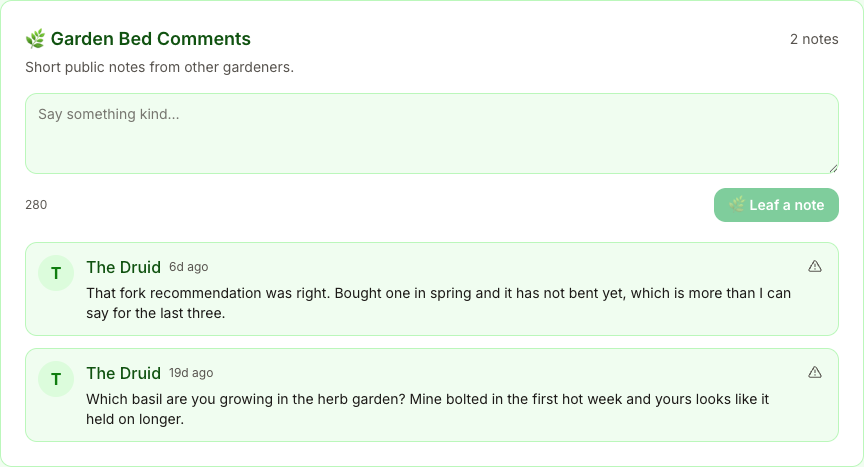
Both notes above are the kind a comment feed loses. One closes a loop on a recommendation months later. The other is a question the host is uniquely placed to answer.
The moderation model is that the host owns the space. Notes go to a queue you control, you decide what appears, and you can remove anything at any time. There is also in-app reporting on both iOS and Android for notes that need escalating beyond the host.
Handing moderation to the host rather than running it centrally is the only thing that works at small scale. You know whether a note on your garden is friendly or not. A central system does not.
Friends and following do different jobs
Following is one-directional and low-commitment. You see what someone posts. They do not have to do anything.
Friends are mutual and both parties opt in. It is the smaller, closer circle.
Every new account starts with one friend, druid, so a brand-new profile is not staring at an empty state. This is a small thing that matters more than it should, because an empty social feature reads as broken rather than new.
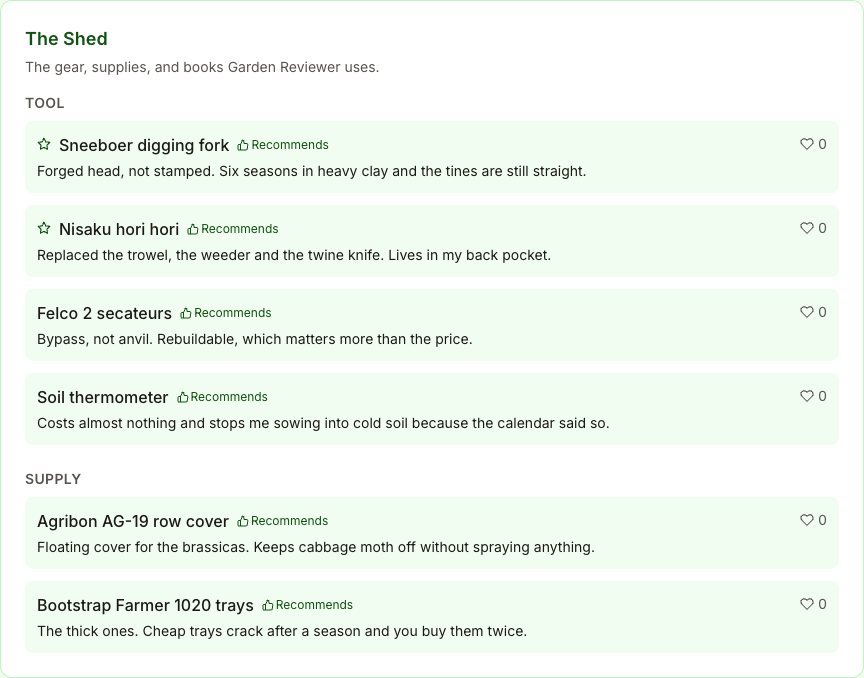
You can also like and save Shed items, which is the mechanism that makes gear recommendations discoverable. A saved item is a bookmark for later, which is roughly how people actually shop for tools.
The directory is the discovery mechanism
garden.gg/gardeners lists public profiles. It is the answer to “how do I find anyone” without an algorithmic feed deciding for you.
Filtering toward people in your zone growing what you grow is the useful move. A gardener two zones away is interesting. A gardener in your zone growing your crops is actionable, because their timing is your timing.
What this deliberately is not
There is no algorithmic feed ranking gardens by engagement. No follower counts positioned as a score. No notifications engineered to pull you back in.
That is a product decision with an obvious cost: features designed not to be sticky are less sticky. Fine. The people who garden are outside, and an app that competes for that time is solving the wrong problem.
The measure of success here is whether you can send one link to someone who asks what you are growing, and whether that link is still worth opening next spring.
If you turn one thing on
Share a single plot. Not the profile, not everything. One bed you are reasonably happy with.
Send the link to someone who has asked about your garden before. See whether the conversation that follows is worth having. If it is, publish a journal entry or two and add the plot to your profile. If it is not, unshare it and lose nothing, because none of it was public until you said so.
Public gardens, the Garden Bed guestbook, friends, and the gardeners directory are available on the web app, iOS, and Android.