
Best Free Plant Disease Diagnosis Apps: 2026 Free Limits
For a free app to diagnose plant problems, Garden.gg includes 5 AI diagnoses per month on its free Sprout plan, while Plantix advertises free crop diagnosis and treatment suggestions. Choose Garden.gg if you also want garden records and community help; consider Plantix for crop-health questions on Android. Neither a free download nor a subscription trial guarantees ongoing free diagnosis.
If you are asking “what’s wrong with my plant?”, start with clear photos and recent care details. An app can suggest causes for spots, yellowing, or wilting; it cannot confirm every disease from a picture. Below are the free limits we could establish, a real tomato-leaf photo, and the steps to request an AI diagnosis.
Create a free account to diagnose my plant
This opens Garden.gg’s photo diagnosis page after signup. Choose a photo to send it for AI analysis; you do not need a plot or plant record, and nothing is posted to the community.
Updated September 11, 2026. We make Garden.gg. This is a comparison of our current product limits and the official pages linked below, not a head-to-head accuracy test or a claim that we personally tested every app. Offers can change by platform and country.
Free diagnosis apps compared: ongoing access versus trials
| App | What is actually free? | Important limit or paid feature | Official source |
|---|---|---|---|
| Garden.gg | Sprout: 5 AI diagnoses/month, plus community help | Bloom: 30/month for $5/month; Harvest: no monthly diagnosis quota for $12/month. An active BYO AI key also removes that quota, but provider costs and limits still apply. | Plan details |
| Plantix | Advertises free crop diagnosis, treatment suggestions, and a farming advice community | Official page links to Google Play and gives no numeric diagnosis allowance. We cannot substantiate “unlimited” or assume the same coverage for houseplants. | Plantix |
| PictureThis | Free download; an ongoing free diagnosis allowance is not established in the listing | Advertises diagnosis and treatment advice alongside Premium. The listing says a free trial may be offered and subscriptions auto-renew; it does not establish “3 free scans/day” or one universal annual price. | US App Store listing |
| Planta | Limited free app access, including watering | Dr. Planta requires payment. It is incorrect to say Planta has no diagnosis feature. | Planta Help Center |
| Greg | Community help, plant identification, care information, and progress tracking | Its support page does not promise automated photo disease diagnosis. Smart personalized reminders require Super Greg. | Greg Support |
For a no-paid-subscription starting point, the clearest options in these sources are Garden.gg’s stated monthly AI allowance and Plantix’s advertised free crop diagnosis. Greg offers another human-help route. Check an app’s current purchase screen before accepting a trial; do not assume “Get” in an app store means every feature is free.
For watering schedules and general care rather than a sick plant, see our broader free plant care app comparison. If a houseplant is yellowing or wilting, rule out overwatering before you blame a disease: it is the most common way houseplants die, and our houseplant watering chart shows when 25 common plants actually need water.
A real photo example: tomato leaves with brown spots
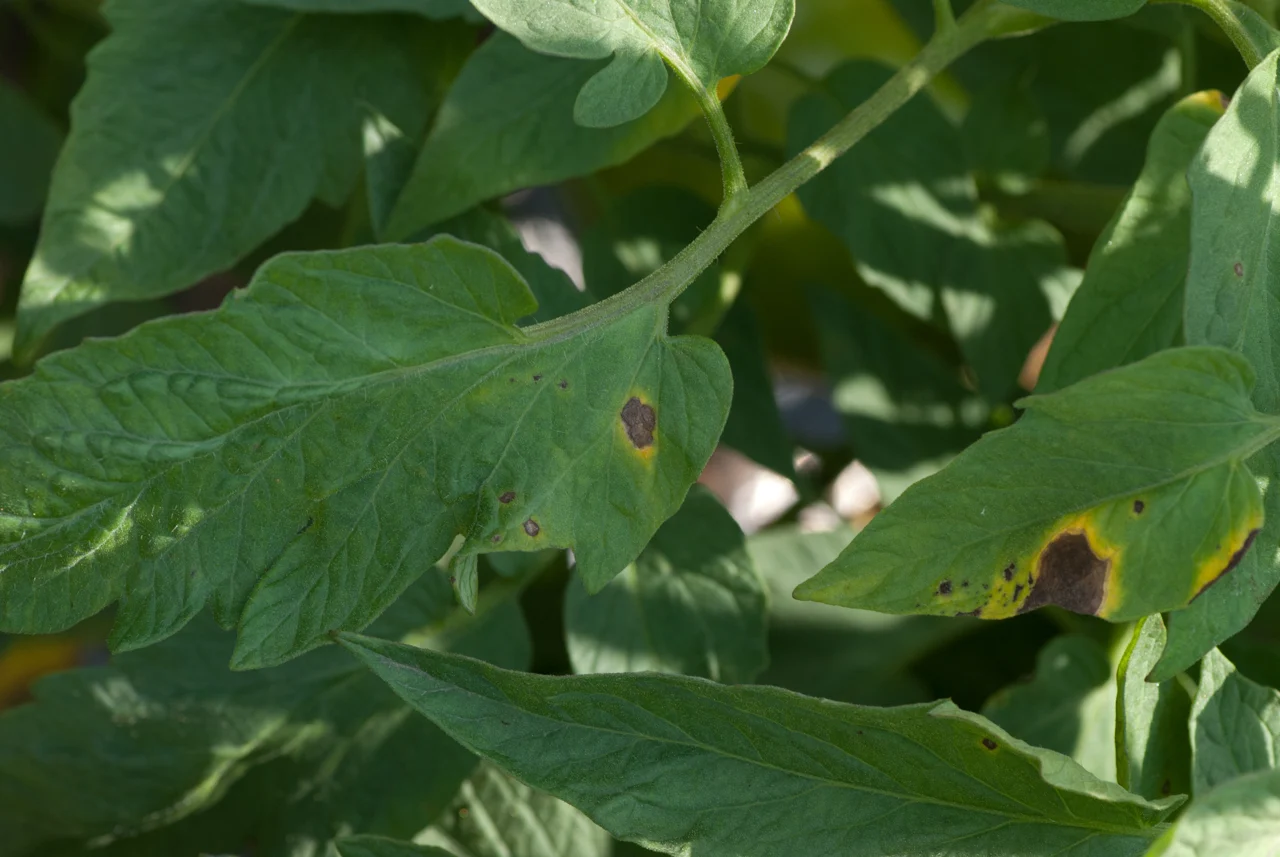
Photo: Dwight Sipler, “Early blight on tomato leaves”, August 23, 2012, licensed CC BY 2.0. Wikimedia Commons provenance and license review. Resized and converted to WebP; no symptom edits. This is a licensed reference photograph, not a Garden.gg submission or an app result.
What is visible: dark brown patches on tomato leaves, with yellow tissue around some lesions. The photographer identifies the subject as early blight. We have not examined the plant or independently confirmed the cause.
What to investigate in your own similar-looking plant:
- Early blight: University of Minnesota Extension describes brown leaf spots that can develop target-like concentric rings, often with yellowing around them. It commonly starts on older leaves near the ground. See its early blight identification guide.
- Septoria leaf spot or bacterial spot: these are other possible explanations for tomato leaf spots, not diagnoses of this photographed plant. Minnesota Extension says these diseases and early blight are difficult to tell apart at their earliest stages. Its tomato leaf spot guide shows comparison photos and explains what else to inspect.
- Missing context: this close-up does not show whether symptoms began on the lowest leaves, whether fruit or stems are affected, or how quickly the damage spread. A confident app label does not supply those missing observations.
For a tomato with similar leaf spots, useful next steps from those Extension guides are to keep foliage dry, water at the base, improve airflow, and avoid working among plants while leaves are wet. Photograph the whole plant and any affected fruit or stems before choosing a treatment. Do not automatically spray a fungicide because an app says “blight”; Extension notes that most home-garden tomatoes do not need one. If symptoms spread rapidly or the cause remains unclear, contact your local extension service or plant diagnostic clinic.
The useful outcome of photo diagnosis is a shortlist plus a next check, not a promise that the first label is correct.
How to diagnose your plant in Garden.gg
Start with your own photo
The signup link on this page continues directly to Diagnose a plant from a photo in the web app:
- Create your free account. No credit card or paid trial is required. You do not need to create a plot or add a plant first.
- Choose Diagnose from Photo. Select a clear close-up of the affected leaf or stem. Choosing the image sends it for AI analysis using your plan allowance or active BYO AI key; simply opening the page does not.
- Read the suggested condition, severity, treatment, and prevention advice. Compare the answer with the whole plant, recent care, and a reliable plant-health reference. This photo-only upload does not automatically include your garden’s care history.
- Record what you try and what changes. A follow-up photo and dated care record are more useful than repeatedly scanning the same symptom without new information.
Open photo diagnosis after free signup
Sprout’s 5 AI diagnoses per month are an ongoing plan allowance, not a trial bundle. The monthly count uses the UTC calendar month. Bloom raises it to 30/month and Harvest removes the monthly quota; see current pricing. With an active BYO AI key, Garden.gg skips its monthly diagnosis quota on any plan, but the AI provider can still charge you and enforce its own limits. BYO does not remove the separate daily plant-identification limit.
The same photo tool is also available in an existing plot’s Plants tab. Neither entry point publishes a community post.
Want a human perspective instead?
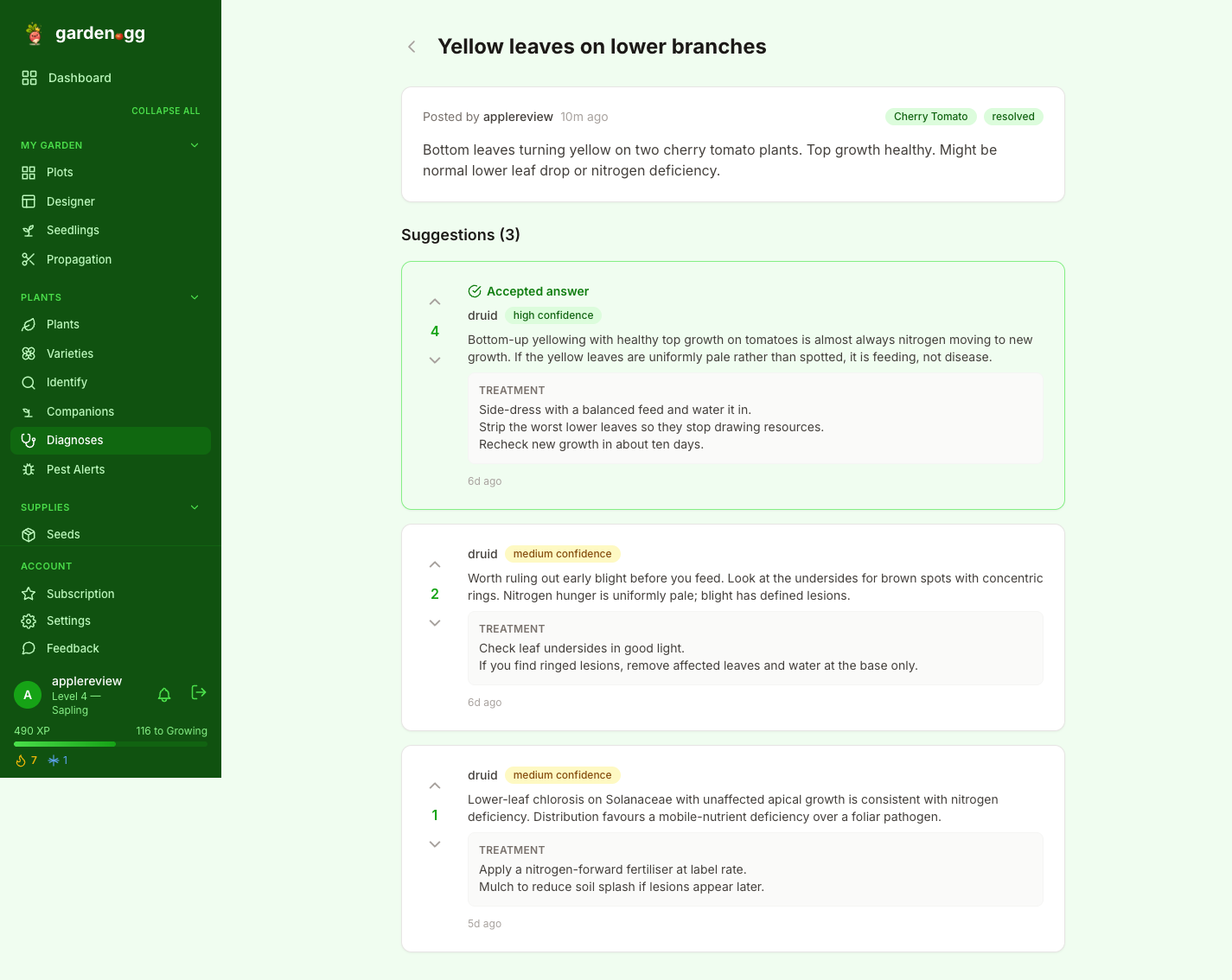
You can separately ask the community in a public post. The Ask for Help form takes a title, symptom description, optional plant and growing zone, and up to 8 photos. Include when the problem started, where symptoms appear, recent watering or feeding, and what you have tried.
Community posts and their photos are public. Avoid faces, addresses, or anything else you do not want to share. Other gardeners can suggest causes, and replies can be voted on or accepted; a response is not guaranteed. A community vote, like an AI answer, is guidance rather than proof.
Frequently asked questions
Is there a genuinely free app to diagnose plant problems?
Yes. Garden.gg includes 5 AI diagnoses per month on its free Sprout plan plus community help. Plantix advertises free crop diagnosis and treatment suggestions, but its official page does not specify a numeric allowance. Free downloads and time-limited trials are not the same as ongoing free diagnosis.
Does bringing my own AI key make diagnosis completely free?
No. An active BYO AI key removes Garden.gg’s monthly diagnosis quota on every plan, including Sprout. Your AI provider’s charges and limits still apply, and plant identification keeps its separate daily plan limit.
Can a photo prove what disease my plant has?
No. A photo can suggest possible causes, but early symptoms can look alike. Check the whole plant, both sides of affected leaves, recent care, and how symptoms change. Treat an app’s result or confidence score as guidance, not laboratory confirmation.
Where does the free Garden.gg signup link take me?
After registration, it opens Garden.gg’s photo diagnosis page. Choose Diagnose from Photo and select an image to send it for AI analysis. No plot or plant record is required, and nothing is posted to the community.
Garden.gg combines plant diagnosis, community help, care records, and harvest tracking. Available on web, iOS, and Android.
.jpg)